Smart home design, energy efficiency, and connected lighting guidance.

Blog

  • How to Choose the Right Smart Thermostat for Your Home

    How to Choose the Right Smart Thermostat for Your Home

    Smart thermostats can be a tiny upgrade with a surprisingly loud personality. Done well, they help your heating and cooling behave a little more like a considerate roommate and a little less like a mystery machine with trust issues. Done poorly, they become an expensive wall decoration that still lets the house roast or freeze on command.
    Smart thermostat mounted on a hallway wall showing temperature and schedule controls
    Choose a thermostat that matches your home’s system, not just the shiny feature list.

    The good news: the right smart thermostat can make your home more comfortable and more efficient without adding interface friction to everyday life. The U.S. Department of Energy notes that scheduling, occupancy-aware control, and remote access are the big practical wins, while recent Consumer Reports coverage reminds buyers that compatibility and household habits matter just as much as the app. That is the boring magic here: the best model is the one your home can actually use well.

    What a smart thermostat actually does

    At its core, a smart thermostat gives you four helpful tricks:

    • Scheduling: Set temperatures for sleep, work, and wake-up times.
    • Remote control: Adjust the temperature from your phone when plans change.
    • Occupancy sensing: Some models notice when people are home and can respond accordingly.
    • Energy tracking: Many apps show heating and cooling patterns so you can spot waste.

    The Department of Energy’s overview of programmable thermostats explains why these features matter: heating and cooling are major energy users, and smarter scheduling can reduce waste without turning your house into a cave. Read the DOE guidance on programmable thermostats.

    Check compatibility before you get wooed by the app

    This is the part where many buyers accidentally fall in love with a feature list and forget the HVAC system has opinions. Before buying, confirm:

    • Whether your home has a conventional furnace and central air, a heat pump, or a multi-zone setup
    • Whether the thermostat supports your wiring, including a C-wire if needed
    • Whether you need control for multiple zones or separate systems
    • Whether your current setup includes accessories like humidifiers or ventilators that need support

    DOE’s home upgrades guidance is a useful reminder that heat-pump and system compatibility are not tiny details. They are the difference between a smooth install and a thermostat that acts like it is technically employed but emotionally unavailable.

    If you want a practical next step, use the compatibility checker from the manufacturer you’re considering, then compare that with your HVAC model number. If the numbers do not match up, the thermostat is not “advanced.” It is just decorative.

    Choose features that fit your household, not your ego

    Some homes need heavy automation. Others need a very calm interface and a few sturdy presets. A good thermostat choice usually depends on who lives there and how predictable their routines are.

    Household need Features to prioritize Why it helps
    Busy family home Scheduling, app alerts, easy manual override People can adjust temperatures without starting a support ticket with the wall
    Frequent travelers Remote access, geofencing, vacation mode Lets you lower usage when nobody is around
    Energy-conscious homeowners Usage reports, smart scheduling, setback reminders Makes patterns visible so you can trim waste
    Homes with guests or multiple users Simple app, clear on-device controls, voice assistant support Less confusion, fewer accidental temperature battles

    Consumer Reports’ recent coverage on whether smart thermostats are worth it makes a useful point: the answer depends on your routines, your HVAC system, and whether you’ll actually use the controls well. See Consumer Reports’ current thermostat buying guidance.

    Think about the ecosystem, not just the thermostat

    A thermostat rarely lives alone. It usually wants friends: a voice assistant, a mobile app, maybe a broader smart-home platform. If you already use smart lighting or other connected devices, it helps to choose a thermostat that plays nicely with the rest of the household orchestra.

    Look for support for the systems you already use, such as Matter-compatible products or the voice assistant in your kitchen that always hears you better than the humans do. If your home is already moving toward broader smart-home control, it may be helpful to review how a thermostat fits into the bigger plan on our smart home solutions page and our smart lighting solutions page.

    For a broader look at the standard, the official Matter overview is a helpful neutral reference: Matter smart home interoperability.

    Will it save money?

    Sometimes. Not always. That is the most honest sentence in the thermostat aisle.

    Smart thermostats can help reduce wasted heating and cooling when they are set up well and used consistently. They are most useful when your household schedule changes, when no one is home for long stretches, or when your old thermostat has been doing the temperature equivalent of freestyle jazz. But if your habits are already efficient and your current system is simple, the savings may be modest.

    That is why the best question is not “Will this save money?” but “Will this save money in my home, with my HVAC, with my habits?” The answer lives in the overlap, not in the marketing brochure.

    Installation and setup: DIY is fine until it isn’t

    Many smart thermostats are designed for straightforward replacement, especially if you are swapping one compatible wall unit for another. If you are comfortable turning off power, labeling wires carefully, and following the manufacturer’s guide step by step, DIY may be reasonable.

    Call a professional if any of these apply:

    • You are unsure about system compatibility
    • Your home uses a heat pump, multi-zone setup, or accessory equipment
    • You do not have a C-wire and the instructions are unclear
    • The wiring looks like a spaghetti policy memo from a very organized raccoon

    For safety and system reliability, keep the work within the thermostat’s instructions. This is not the moment to become a heroic electrician in socks.

    A quick checklist for different homes

    • Apartment: Choose a simple model with easy scheduling and strong manual control.
    • Family home: Prioritize scheduling, geofencing, and an app everyone can understand.
    • Heat pump system: Confirm explicit heat-pump support before buying.
    • Energy-saving focus: Look for usage reports, occupancy features, and flexible scheduling.
    • Smart-home enthusiast: Make ecosystem compatibility a top decision factor.

    Bottom line

    The right smart thermostat is not the one with the longest features page. It is the one that matches your HVAC system, your household habits, and your comfort goals without making daily life weirdly difficult. If you start with compatibility, then choose the features your home will actually use, you are far more likely to get a thermostat that feels useful instead of merely impressive.

    If you are comparing broader smart-home upgrades, you may also want to explore our energy efficiency and sustainability page or start from the home page. For questions about the right next step, contact us and we’ll keep it simple.
  • The Essential Guide to Home Automation and Energy Savings

    The Essential Guide to Home Automation and Energy Savings

    Home automation saves energy best when it is treated like an operating system, not a toy collection. The devices are useful; the discipline is where the savings come from.

    If you are asking what home automation actually is, which devices matter, and whether the numbers add up, this guide gives the practical version. It focuses on thermostats, lighting, energy monitoring, and the small decisions that stop a house from wasting power while nobody is looking.

    Energy waste is not a mystery. It is usually a timing problem, a settings problem, or a habit problem. That is why smart controls matter. The U.S. Department of Energy notes that smart thermostats, lighting controls, and occupancy-based automation can reduce unnecessary use, while ENERGY STAR explains how connected lighting and controls help cut electricity demand at the source and in day-to-day lighting use.

    By the end, you will know how home automation works, where the savings usually come from, what real-world examples look like, and how to choose devices without buying a very expensive pile of apps.

    Home automation dashboard showing heating, lighting, and energy savings controls
    Smart controls work best when they are simple, visible, and boring in the right places.

    What home automation means in practical terms

    Home automation is the use of connected devices and rules to control systems such as heating, cooling, lighting, blinds, plugs, and appliances. In plain English: the house reacts when it should, instead of expecting the owner to remember everything.

    Useful examples include:

    • Smart thermostats that adjust temperature around schedules, occupancy, or manual overrides.
    • Occupancy sensors that switch lights off when rooms are empty.
    • Smart plugs that shut down idle devices and reduce standby waste.
    • Energy dashboards that show where electricity is being used, not just where it vanished.

    For a broader overview of how these systems fit together, the Energy Efficiency and Sustainability page connects home technology with lower operating cost and less waste.

    How automation leads to energy savings

    The logic is simple. Manual control depends on memory. Automation depends on rules. Rules are more reliable, and occasionally less emotional.

    1. Smart thermostats and climate control

    Heating and cooling usually drive the largest share of home energy use. A smart thermostat can reduce waste by learning routines, lowering temperatures when the house is empty, and avoiding unnecessary conditioning of rooms that are not in use.

    The U.S. Department of Energy’s guidance on smart thermostats and the related controls page explains why schedule-based setbacks and remote adjustments matter. If you want the deeper version of this topic, see Intelligent Climate Control.

    2. Automated lighting systems

    Lighting savings are usually smaller than HVAC savings, but they are easier to capture. Motion sensors, daylight sensors, dimming schedules, and app-based controls all reduce the chance that lights stay on for no reason other than human forgetfulness, which is a strong and very expensive tradition.

    ENERGY STAR’s smart lighting guidance highlights how connected lighting systems can cut usage while improving convenience. Pairing LED fixtures with automation is usually a straightforward win.

    3. Energy monitoring and management tools

    Monitoring systems help homeowners see what is actually happening. They can reveal overnight loads, inefficient appliances, and rooms that are being heated or cooled more than necessary. You cannot manage what you cannot see, which is why the dashboard is often more valuable than the gadget itself.

    Automation feature Typical energy effect Best use case
    Smart thermostat Reduces unnecessary heating and cooling Homes with regular schedules
    Motion-based lighting Stops lights running in empty rooms Hallways, bathrooms, utility spaces
    Smart plugs Limits standby or idle power draw Entertainment centers, office gear
    Energy dashboard Identifies waste patterns Households that want real data

    Case studies of energy-efficient homes

    Case studies matter because they show what happens after the marketing gloss is removed.

    Case study 1: Smart thermostat rollout in a family home

    A household with inconsistent work schedules replaced manual thermostat changes with a smart thermostat and room-based scheduling. The result was not dramatic theater. It was a quieter bill and fewer heating spikes. U.S. DOE materials on thermostat controls support this kind of improvement when schedules and setbacks are used well.

    Quantifiable outcome: homeowners commonly report double-digit percentage savings from heating and cooling changes when automation reduces wasted runtime, though the exact result depends on climate, insulation, and habits.

    Case study 2: Motion lighting in a renovation

    In a renovated home, hallway, pantry, and garage lights were connected to occupancy sensors and LED fixtures. The behavior change was immediate: lights no longer stayed on all evening because someone forgot a switch on the way out. The technical term for that is “small victory”; the utility bill calls it “less waste.”

    Quantifiable outcome: converting to LED lighting plus automated controls can cut lighting electricity use substantially compared with legacy incandescent setups, and often by a meaningful margin even against older fluorescent fixtures.

    Case study 3: Energy dashboard plus smart plugs

    A homeowner used a plug-level monitor to identify constant standby loads from office equipment and media devices. The biggest benefit was not the single device shutdown. It was the habit correction that followed. Once people see the numbers, they stop calling every power draw “minimal.”

    Lesson learned: automation works best when it exposes waste, then removes the need to remember the fix every day.

    For additional consumer guidance on smart home energy features, the Consumer Reports overview gives a useful reality check on what matters and what does not.

    Tips for maximizing energy savings

    If you want automation to save money rather than just create notifications, priorities matter.

    1. Start with the largest loads. Heating, cooling, and lighting usually produce the biggest practical gains.
    2. Choose devices that work together. Fragmented systems create friction, and friction is where good intentions go to die.
    3. Use schedules before scenes. Automations tied to daily routines are easier to maintain than clever one-off shortcuts.
    4. Check for manual override. A system that is impossible to adjust quickly will eventually get disabled.
    5. Review energy data monthly. A short review often finds drift, misconfigured devices, or a heater running harder than needed.

    Device selection checklist

    • Choose products with clear energy reporting.
    • Prefer devices that support timers, occupancy response, or daylight response.
    • Keep the number of apps manageable.
    • Use LED lighting where possible.
    • Update firmware and replace batteries on schedule.

    Before-and-after: what changes in a smarter home

    The before picture usually looks like this: lights left on, rooms heated or cooled when empty, and a homeowner who assumes the bill is “just what houses cost.” The after picture is simpler: devices turn themselves down when no one is home, lights respond to movement or daylight, and energy use becomes visible enough to manage.

    A practical goal is not perfection. It is reducing avoidable waste without turning the house into a full-time software maintenance project.

    Conclusion

    Home automation can improve comfort and cut energy waste at the same time, but only when the devices support a clear plan. The best results usually come from a few well-chosen controls: a smart thermostat, efficient lighting, and basic monitoring.

    If you are deciding where to begin, prioritize the systems that run most often and waste the most when ignored. That is where the business case lives. The gadgets are optional; the discipline is not.

    To continue, review the broader energy efficiency guidance and compare it with your household routines. Then decide what should be automated first.

    Key takeaways:

    • Home automation saves energy by reducing unnecessary runtime.
    • Smart thermostats and automated lighting are usually the first priorities.
    • Energy monitoring helps identify waste that habits hide.
    • Small, reliable automations usually beat complex systems that nobody wants to maintain.
  • Understanding Smart Home Ecosystems: Which One is Right for You?

    Understanding Smart Home Ecosystems: Which One is Right for You?

    Understanding Smart Home Ecosystems: Which One is Right for You?

    Smart home ecosystems are basically the “team captain” for your connected home. They help your lights, speakers, thermostats, cameras, and routines play nicely together instead of behaving like four different people trying to drive the same car.

    If you’re starting from scratch, the good news is that most people do not need every gadget under the sun. They need a setup that fits how they live: simple to use, easy to expand, and not the sort of thing that needs a spreadsheet just to turn on a lamp.

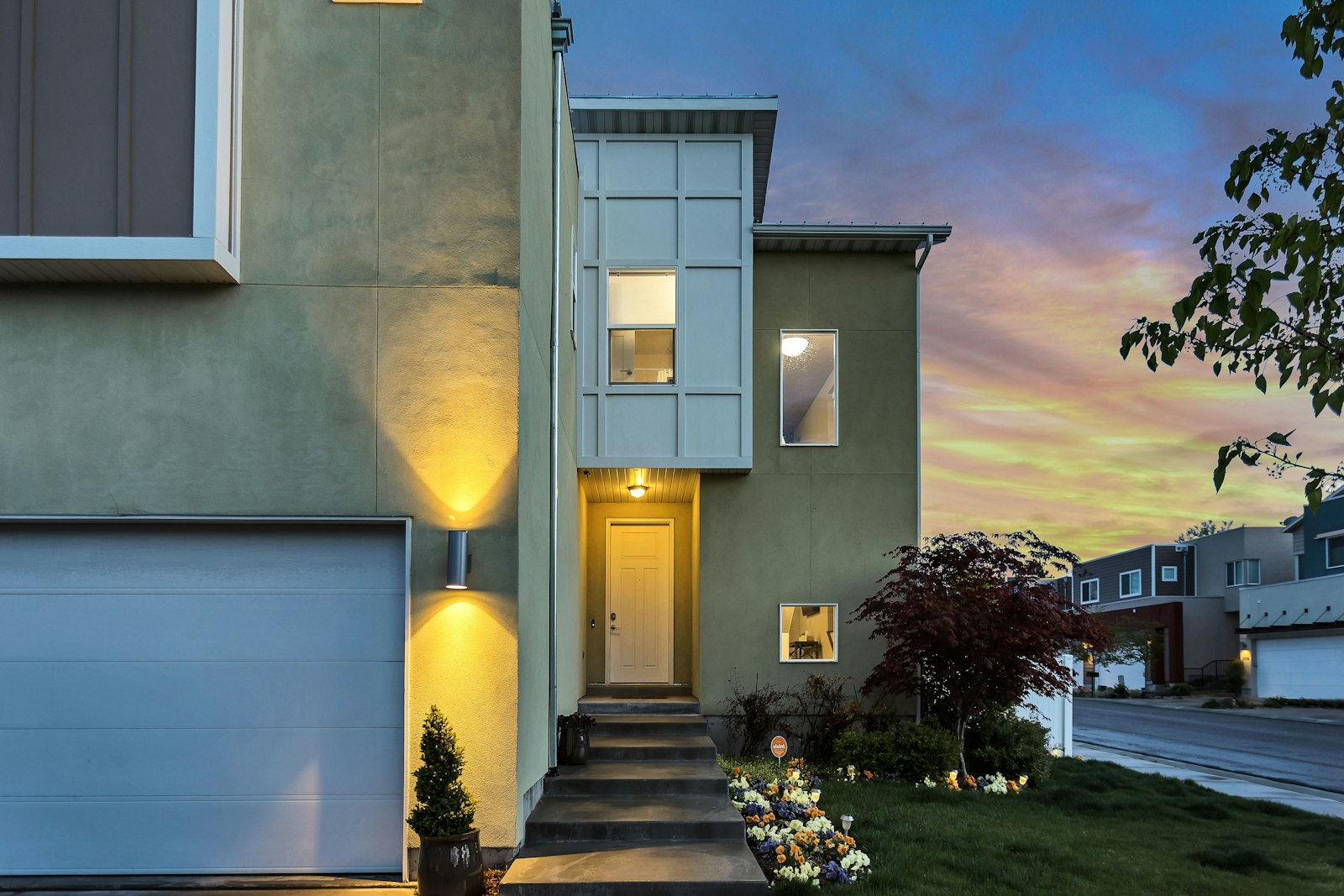
    Modern home with smart controls and energy-efficient design
    A smart home ecosystem should feel coordinated, not complicated.

    What a smart home ecosystem actually does

    An ecosystem is the platform layer that connects your devices and routines. It usually includes a voice assistant, a phone app, and compatibility rules for third-party devices. The main job is simple: make sure your tech can talk to each other without constant babysitting.

    For a quick overview of how connected devices and platforms work together, the home automation overview on Wikipedia is a decent starting point. For a more practical angle on everyday consumer automation, CNET’s smart home coverage is useful for seeing how these systems behave in real homes rather than glossy ads.

    Comparing the major ecosystems

    There are four names most people run into first: Amazon Alexa, Google Home, Apple Home, and Samsung SmartThings. They all do the basics, but they differ in how open they are, how polished they feel, and how much you want them to decide for you.

    Ecosystem Best for Watch out for
    Amazon Alexa Broad device support and easy voice control Can feel a bit fragmented if you add lots of brands
    Google Home Simple voice commands and strong search-first convenience Device support can be uneven depending on brand
    Apple Home Privacy-minded users and people already deep in Apple devices Usually narrower device compatibility than the open systems
    Samsung SmartThings Flexible setups with a wider mix of brands and devices Can take a little more setup time at the start

    If you want to compare compatibility details directly, the official Google Nest help centre, Apple Home support guide, and SmartThings compatible devices list are helpful references before you buy anything.

    Pros and cons, without the marketing glitter

    Amazon Alexa is often the most forgiving if you like lots of third-party options. Great for plug-and-play basics. Not always the tidiest experience once the house starts collecting devices like a hobby.

    Google Home is friendly if you already live in Google’s world. It’s easy to ask for things by voice, and that matters more than people admit… because nobody wants to shout six command phrases at a lamp.

    Apple Home tends to appeal if privacy and polish matter most. It works especially well when your phone, tablet, and speaker stack are already in the same ecosystem.

    SmartThings is the “I want options” choice. It can be a strong fit if you care about flexibility and plan to mix device brands over time.

    How to choose the right one for your home

    Start with three questions:

    • Which phone and speaker brands do you already use?
    • Do you want the simplest setup possible, or the most flexible one?
    • Are you planning mostly lights and speakers, or a fuller setup with climate control and security?

    If your answer is “I just want everything to work without a tech support saga,” pick the ecosystem that matches the devices you already own. If you’re building a broader smart home over time, flexibility may matter more than the prettiest app.

    For a deeper look at connected-home planning and energy-saving use cases, visit Innovative Smart Home Designs and Energy Efficiency and Sustainability.

    Conclusion

    The best smart home ecosystem is the one that feels natural in daily life. You want comfort, not chaos. Pick the platform that fits your existing devices, your preferred level of privacy, and how much time you actually want to spend tinkering.

    Back to the home page if you’d like to explore the rest of the site, or keep going through the service pages to see how smart design and sustainability can work together.

  • DIY Smart Home Projects: Enhance Your Space on a Budget

    DIY Smart Home Projects: Enhance Your Space on a Budget

    Smart home projects that feel doable, not like a second job

    DIY smart home projects are exactly what they sound like: small, practical upgrades you can set up yourself with a few affordable devices and a bit of patience. The fun part is that you do not need to turn your home into a sci-fi set to get useful results. A lamp that switches on when you walk in, a thermostat that behaves itself, or a security camera you can check from your phone can already make life smoother.

    If you are trying to keep costs sensible, start with one room and one problem. That usually gives the best value—and prevents the classic “I bought six gadgets and now none of them talk to each other” situation. For a wider overview of lighting ideas, see Smart Lighting Solutions. And if you want to go further on temperature control, intelligent climate control is the next rabbit hole.

    For anyone who likes official basics before buying gear, the CNET smart home guide is a decent starting point, and the NIST smart home and smart grid overview helps explain how connected devices fit into a home system. If you want a quick look at the bigger picture, home automation is also a useful plain-English refresher.

    Wall-mounted smart home control display in a modern living room
    A simple control screen can make the whole setup feel a lot less mysterious.

    1. Affordable smart lighting: the easiest win

    Smart lighting is the best place to begin because it gives quick results without any electrical drama. Replace one or two bulbs with smart bulbs, connect them to your app, and suddenly you can dim lights, set schedules, or switch them off from the sofa when you realise you left the room lit like a tiny stadium.

    What you need

    • 2 to 4 smart bulbs, ideally LED
    • A phone with the bulb’s companion app
    • A home Wi-Fi network
    • Optional: a smart plug for a lamp that is not bulb-compatible

    Estimated cost: around $15 to $40 per bulb, depending on the brand and features.

    How to set it up

    1. Choose one room with the most-used lamp or ceiling light.
    2. Install the bulb and power the light on.
    3. Open the app and follow the pairing steps.
    4. Name the bulb by room and purpose, like “Desk Lamp” or “Bedroom Reading Light.”
    5. Create one helpful routine, such as a sunset-on schedule or a bedtime off timer.

    Tip: If pairing gets stubborn, move the bulb closer to the router during setup. Devices can be needy. Like all of us, really.

    For bulb and lighting standards, the U.S. Department of Energy LED lighting guide is a practical reference, especially if you want to compare efficiency before buying.

    2. A simple DIY smart thermostat setup

    A true thermostat swap may need more care than a bulb change, but you can still build a beginner-friendly climate setup without overspending. If replacing the full wall thermostat feels too far on day one, start with smart temperature helpers: a smart plug for a portable heater or fan, a room sensor, or a thermostat kit that matches your heating system.

    What you need

    • A compatible smart thermostat or room climate device
    • Basic screwdriver set
    • Optional: thermostat trim plate
    • Mobile app and Wi-Fi
    • Optional: temperature sensor for another room

    Estimated cost: about $50 to $200, depending on compatibility and extras.

    How to set it up

    1. Check whether your heating system is compatible before buying anything.
    2. Turn off power to the existing thermostat at the breaker.
    3. Remove the old thermostat and take a photo of the wires before touching them.
    4. Follow the manufacturer’s wiring guide exactly.
    5. Connect the device in the app and test heating or cooling in a short cycle.

    Tip: Label wires with tape before removing them. Future-you will be very grateful when you are not staring at a tiny knot of wires and pure regret.

    If you want a deeper explainer on climate automation, the Energy Saver thermostat guide and the related intelligent climate control page are both useful.

    3. Budget smart security with cameras and sensors

    Security projects do not have to be expensive or complicated. A starter setup might include one camera facing a front door, a couple of motion sensors, and a smart door or window sensor. That is enough to give you better awareness without turning your house into a command centre.

    What you need

    • 1 indoor or outdoor smart camera
    • 2 or more motion or contact sensors
    • A smart hub if your devices need one
    • Wi-Fi connection
    • Optional: microSD card or cloud storage plan

    Estimated cost: roughly $40 to $150 for a starter setup.

    How to set it up

    1. Pick one entry point first, usually the front door or a main hallway.
    2. Mount or place the camera where it has a clear view but does not feel intrusive.
    3. Attach sensors to doors, windows, or high-traffic areas.
    4. Set alerts so you only get notified about important activity.
    5. Test notifications before relying on the system.

    Tip: Do a walk test after installation. If the camera misses the doorway or the sensor thinks the cat is a burglar, adjustment time has arrived.

    For general consumer advice on connected devices, StaySafeOnline’s IoT security guide is a solid reminder to change default passwords and keep firmware updated.

    Materials checklist for the whole project list

    Project Starter materials Budget range
    Smart lighting Smart bulbs, app, Wi-Fi, optional smart plug $15-$40 per bulb
    Smart thermostat Compatible thermostat, screwdriver, wires labelled, app $50-$200
    Smart security Camera, sensors, hub if needed, storage option $40-$150

    Tips that save time, money, and mild frustration

    • Start with one room. A tiny win is better than a half-finished full-house plan.
    • Keep naming simple. “Hall Light” is easier than “Nimbus of Ambience v2.”
    • Check compatibility first. Especially with thermostats and hubs.
    • Update firmware. It is boring, but so is discovering your gadget has been living in 2021.
    • Test automations before trusting them. A scene that never runs is just a very expensive idea.

    If something fails, do the old-fashioned fix: power cycle it, re-check Wi-Fi, and make sure the app still has permission to do its thing. Most beginner problems are surprisingly ordinary.

    Ready to build your first upgrade?

    DIY smart home projects work best when they solve one real annoyance at a time. A better lamp, a calmer temperature routine, or a small security boost can make your space feel smoother without draining your wallet. That is the sweet spot: useful, affordable, and not wildly overengineered.

    Start small, learn what actually helps, and expand from there. If you want to keep going, browse the home page, then explore smart lighting solutions and intelligent climate control for the next step. And if you have a favourite low-cost smart home win, share it—because half the fun is hearing which gadget behaved itself for once.

  • The Impact of Smart Homes on Property Value

    Introduction to smart homes and property value

    Smart home technology can help a property feel more modern, easier to live in, and less expensive to run. That combination is not subtle, which is exactly why buyers notice it.

    When people search for a home, they usually ask the same practical questions: Will it be easy to secure? Will it be comfortable? Will it keep utility bills from becoming a monthly personality test? Smart homes answer those questions by bundling convenience, security, and efficiency into the property itself.

    According to the National Association of Realtors research and statistics hub, buyer expectations continue to shift toward features that simplify daily life. The U.S. Department of Energy also makes the case that energy-conscious upgrades reduce operating waste, which is the sort of math buyers understand even if they do not adore spreadsheets.

    This article explains which smart features tend to influence appraisals, how to read the value signal in the market, and which upgrades are worth considering before a sale.

    For broader context, see the site’s innovative smart home designs and energy efficiency and sustainability pages.

    Bar chart showing estimated property value lift from smart home features such as security, lighting, thermostat, and whole-home automation
    Visible, transferable smart upgrades tend to carry the clearest resale signal.

    How smart features affect home appraisal

    Appraisers do not price a home as a bundle of gadgets. They look for improvements that are permanent, functional, and likely to matter to the next owner. That means the best-value smart features are usually the ones that improve safety, lower energy use, or make the home easier to operate.

    In practice, that often includes the following:

    • Smart security: video doorbells, smart locks, door/window sensors, and monitored alarms.
    • Smart climate control: programmable or learning thermostats, zoning, and room sensors.
    • Smart lighting: automated schedules, motion sensing, and efficient LED fixtures.
    • Connected infrastructure: stronger Wi-Fi coverage, wired access points, and reliable hubs.

    The logic is simple: features that are easy to demonstrate and easy to transfer are easier to value. A buyer can understand a thermostat, a lock, or a lighting scene in under a minute. A proprietary setup that needs a password, a manual, and two browser tabs tends to have a shorter resale career.

    For a buyer-focused overview of efficient systems, the ENERGY STAR smart lighting guide is a useful reference. It shows why lighting controls are often seen as practical rather than flashy.

    Case studies and statistics

    Multiple market studies suggest smart home features can increase perceived property value by roughly 5% to 15% in the right context. That is not a universal guarantee. It is a directional signal: buyers often pay more for homes that feel secure, efficient, and less work to live in.

    One useful way to think about the numbers is by feature type:

    Feature Buyer benefit Value signal
    Smart thermostat Lower utility use and easier comfort control Usually modest but widely appreciated
    Smart security package Safety, remote monitoring, and deterrence Often strong during showings
    Whole-home lighting control Convenience and efficiency More compelling when paired with LEDs
    Integrated automation platform One interface for multiple systems Can stand out if it is simple to use

    Real-estate commentary from the HouseLogic team has consistently pointed to energy and security upgrades as strong resale-friendly improvements. Meanwhile, the Department of Energy’s thermostat guidance reinforces the practical savings side of the story.

    That combination matters because buyers do not only buy square footage. They buy reduced friction. A house that already behaves well has an advantage over one that politely hands every inconvenience to the next owner.

    Tips for homeowners looking to sell

    If resale is the goal, choose upgrades that are visible, durable, and easy to explain. The smartest smart-home move is often the least dramatic one.

    1. Start with the highest-visibility upgrades. Smart locks, thermostats, and lighting controls are easy for buyers to understand.
    2. Keep the system transferable. Make sure accounts, passwords, and ownership handoff steps are documented.
    3. Show the savings. Utility history, device dashboards, and energy reports help make the case.
    4. Avoid over-customization. A house that requires a private instruction manual for the hallway lights is less persuasive than one with a clean, simple setup.
    5. Bundle the story. Position smart features alongside energy efficiency, comfort, and security rather than as isolated gadgets.

    If you want a practical pairing strategy, review the site’s smart home design ideas and sustainability guidance. Those pages help frame the upgrades as part of a coherent system, not a pile of accessories.

    Conclusion

    Smart homes can raise property value when the technology improves day-to-day living in ways buyers can actually feel. Security, efficiency, and convenience are the three levers that matter most.

    If you are preparing to sell, focus on smart upgrades that are clear, transferable, and easy to trust. That is the difference between a useful feature and an expensive curiosity.

    For broader site context, visit the homepage.

  • How to Maintain a Smart Home in 2026: Updates, Compatibility, and Energy Savings

    If your smart home has started acting like a moody roommate — unresponsive one day, oddly energetic the next — this guide is for you. The good news is that most maintenance is not glamorous, but it is very doable: a few updates, a bit of network care, and a quick look at your automations can keep things calm.

    When people search for smart home maintenance, they usually want the same three answers: How do I keep devices compatible? How do I stop random glitches? And how do I avoid wasting energy when I am not even home? That is the whole game. As the ENERGY STAR smart home guidance and the Connectivity Standards Alliance’s Matter update both show, the real win in 2026 is not buying more gadgets — it is keeping the ones you already own current, connected, and useful.

    That matters because a smart home can quietly drift from “helpful” to “why is this light ignoring me?” if firmware ages, apps fall behind, or the network gets crowded. The U.S. Department of Energy’s lighting controls guidance also reinforces a simple point: schedules, occupancy sensing, and regular check-ins make controls work better. In this article, I will walk through the basics, the compatibility stuff that actually matters, and a practical routine you can repeat without turning it into a weekend project.

    Homeowner reviewing smart home device settings on a tablet in a modern living room
    Keeping an eye on settings is half the battle. The other half is remembering which app you used to change them.

    Why smart home maintenance matters now

    Smart homes in 2026 are less about novelty and more about reliability, security, and energy discipline. That means maintenance is not just a tech hobby. It is the thing that keeps your thermostat from fighting your schedule, your lights from staying on “just in case,” and your hub from becoming a very expensive blinking ornament.

    There is also a compatibility angle. Matter and Thread continue to improve how devices join together across ecosystems, but standards only help if devices are updated and the network behind them is healthy. Thread Group explains the low-power networking side well, and it is worth keeping in mind if you use a lot of sensors, bulbs, or switches that need dependable connections.

    • Reliability: fewer random disconnects and failed automations.
    • Security: older firmware and reused passwords are where trouble starts.
    • Energy savings: schedules and occupancy-based control only help if they are still configured properly.
    • Compatibility: updates help older devices keep talking to newer apps and hubs.

    Start with the basics: updates and account security

    If I had to choose one maintenance habit, it would be this: do not let updates pile up. Firmware updates fix bugs in the device itself, app updates keep the control software current, and account updates help close obvious security holes. It is not thrilling, but neither is re-pairing a thermostat at 10 p.m. because an old app finally gave up.

    What to check each month

    • Open your smart home app and check for device firmware updates.
    • Update the app on each phone or tablet that controls the home.
    • Turn on two-factor authentication where it is available.
    • Review shared access for family members, guests, or former house sitters who no longer need it.
    • Change weak or repeated passwords, especially for admin accounts.

    If you want a deeper plain-English refresher on smart-home habits, the Smart Lighting Solutions and Energy Efficiency and Sustainability pages are a useful companion read. They are not maintenance checklists, but they do show how the pieces fit together in a normal home.

    Keep your network healthy

    Most smart home “device problems” are really network problems wearing a fake moustache. If a bulb disconnects, a hub fails to respond, or a sensor drifts in and out, I always look at the router first. Not because the router is always guilty — that would be rude — but because it is often involved.

    Network checkWhy it helpsSimple action
    Router placementReduces dead zones and weak signal cornersKeep it central, open, and away from heavy interference
    Wi‑Fi hygienePrevents overcrowding and odd dropoutsRemove unused devices and reboot the router occasionally
    Thread border routerImproves low-power device reliabilityConfirm it is powered, updated, and not tucked behind a TV
    Matter supportHelps devices work across ecosystemsCheck the app or hub for compatibility updates

    Matter 1.4 and later updates are worth watching because they push the ecosystem toward better setup, more capable energy management, and improved network reliability. That does not mean every device instantly becomes brilliant. It means the ecosystem is finally moving in a direction that rewards boring, sensible maintenance — which, honestly, is a lovely change of pace.

    Device-specific maintenance tips

    Smart thermostats

    Thermostats are where comfort and efficiency meet. Check schedules seasonally, especially when daylight saving time changes or your routine shifts. Make sure temperature sensors are not blocked by furniture, sunlight, or a radiator doing its best impression of a small volcano.

    • Confirm time, date, and location settings are correct.
    • Review away modes and vacation settings before leaving home.
    • Clean dust from the device and nearby vents.
    • Replace batteries where needed.

    Smart lighting

    Lighting benefits from a quick seasonal reset. The DOE guidance on LED controls points to occupancy sensing, daylight response, and scheduling as practical ways to reduce waste. So check whether scenes still match how you actually live — not how you lived in January during your “new year, new routines” optimism phase.

    If you want more background on the topic, our smart lighting solutions guide goes into room-by-room use cases and why lighting automation feels helpful when it is subtle rather than flashy.

    Smart plugs and sensors

    • Check plugs for loose sockets or overheating.
    • Replace batteries in motion, door, and leak sensors before they go flat.
    • Test automations after battery changes or power cuts.
    • Rename devices clearly so you do not end up with six versions of “sensor 2 final final.”

    How to reduce energy waste without overthinking it

    The simplest energy wins usually come from habits, not heroic upgrades. ENERGY STAR’s smart home guidance leans heavily on scheduling, occupancy-based control, and energy management for a reason: those are the features that help most homes quietly waste less.

    • Use schedules: set heating, cooling, and lighting around real routines.
    • Review occupancy settings: rooms that are rarely used should not behave like the Grand Central Station of the house.
    • Trim always-on automations: if a scene runs every evening but nobody needs it, switch it off.
    • Check seasonal drift: what made sense in winter may be silly in summer.

    For a broader sustainability angle, the Energy Efficiency and Sustainability page explains how home systems and building choices work together. Smart tech can help, but it works best when the house is not fighting it the whole time.

    Troubleshooting: reboot, re-pair, reset, or replace?

    When something breaks, I try to keep the fix as small as possible. Start with the least dramatic move and work upward. That saves time, and it saves your patience — which, in a smart home setup, is a renewable but not unlimited resource.

    ProblemFirst moveNext step
    Device offlineReboot device and routerCheck app updates and signal strength
    Automation not firingConfirm the trigger still matches realityRe-pair device or recreate the rule
    Battery sensor acting oddReplace batteryReset and rejoin if needed
    Older device no longer supportedCheck compatibility notesReplace only if updates or repair are no longer practical

    A good rule of thumb: if rebooting and re-pairing solve the issue, great. If the device is still dropping out, missing updates, or failing to integrate with newer systems, replacement may be the kinder choice for everyone involved — including your future self.

    A simple monthly and seasonal routine

    You do not need a giant maintenance binder. A short routine is enough.

    Monthly

    • Check for firmware and app updates.
    • Test one or two automations.
    • Review energy schedules and occupancy settings.
    • Confirm shared user access still makes sense.

    Seasonally

    • Adjust thermostat schedules for weather changes.
    • Refresh lighting scenes for shorter or longer days.
    • Inspect batteries in sensors and remotes.
    • Dust hubs, bulbs, vents, and thermostats.
    • Review whether any old automations no longer fit your routine.

    Small routine, big payoff. That is the whole philosophy here. The best-maintained smart home is not the one with the fanciest dashboard — it is the one that quietly does the right thing without making you play detective every Tuesday.

    Conclusion

    Smart home maintenance in 2026 is really about three things: keep devices updated, keep the network healthy, and keep automations aligned with real life. Add a little attention to Matter and Thread compatibility, plus regular energy-setting reviews, and your home becomes much easier to live with.

    If you want to dig deeper, start with the links above, then pick one room and do a five-minute audit. That is usually enough to spot the obvious waste and the annoying little glitches. And if you have a better maintenance ritual than mine, fair play — I would genuinely love to steal it.

    • Keep firmware and apps current.
    • Use schedules and occupancy settings honestly.
    • Check network health before blaming the device.
    • Review compatibility when buying or replacing gear.
    • Repeat the routine monthly and seasonally.
  • Eco-Friendly Home Automation: Sustainable Solutions for Smart Living

    Eco-Friendly Home Automation: Sustainable Solutions for Smart Living

    What eco-friendly home automation is

    Eco-friendly home automation is the practice of using connected devices to reduce waste, avoid unnecessary energy use, and make daily routines easier to manage. The useful version is not about adding more gadgets for their own sake. It is about letting controls respond to occupancy, daylight, temperature, and actual household habits.

    That usually means a mix of sensors, schedules, efficient fixtures, and controls that make it easier to turn things off when they are not needed. The aim is practical: better comfort, less waste, and fewer little acts of forgetfulness.

    Family using smart home controls in a bright, energy-conscious living room
    Connected controls can support comfort while reducing avoidable energy use.

    Benefits of sustainable automation

    The strongest benefit is not a dramatic promise. It is the accumulation of small, sensible choices: lights that dim with daylight, thermostats that avoid heating an empty house, and appliances that run when demand is lower or when the household actually needs them.

    • Less wasted energy: occupancy and schedule-based controls reduce accidental run time.
    • More consistent comfort: simple automations remove the need for constant manual adjustments.
    • Better visibility: many platforms show usage patterns, which makes waste easier to spot.
    • Convenience with restraint: the best systems fade into the background instead of demanding attention.

    For broader context on home energy use, the U.S. Department of Energy’s Energy Saver resources are a reliable starting point.

    Examples of eco-friendly devices

    Some devices are obviously energy-minded. Others become sustainable only when they are configured well. A smart plug can be wasteful if it is used to keep a space heater running longer than needed. The same plug can also prevent standby drain and create a clean shutoff point.

    Device or system Why it helps Practical note
    Smart thermostat Matches heating and cooling to actual occupancy and schedules Works best when paired with sensible temperature settings
    Occupancy sensor Turns lights or fans off when rooms are empty Useful in hallways, bathrooms, and utility spaces
    LED lighting with dimming Uses less power than older lighting and adapts to daylight Choose compatible fixtures and controls
    Smart plugs Helps cut standby power for selected devices Best for easy-to-manage loads, not essential appliances
    Energy monitoring platform Makes usage patterns visible Useful when the goal is behavior change, not just automation

    If you want a technical overview of connected-home standards that help devices work together, the Matter standard overview is a useful reference. Interoperability matters because a fragmented system tends to get ignored.

    Tips for implementing eco-friendly practices

    Start with the biggest wastes first. That usually means heating, cooling, and lighting before any decorative automation. A quiet system that saves a little every day tends to outperform a flashy one that nobody uses correctly.

    1. Audit the routine: note which lights, rooms, and appliances run when nobody benefits from them.
    2. Automate the obvious: use schedules, motion detection, and daylight dimming where the rule is simple.
    3. Keep overrides easy: sustainability should not require a lecture every time a guest wants the room warmer.
    4. Prefer efficient hardware: automation works better when the underlying device is already efficient.
    5. Review the data monthly: if a device saves nothing or adds confusion, simplify it.

    For lighting choices, the ENERGY STAR lighting and fans guidance offers a helpful baseline for efficient fixtures and controls. You can also pair this with the site’s own energy efficiency and sustainability page for a broader home strategy.

    Conclusion

    Eco-friendly home automation works best when it does less, not more. The most useful systems reduce waste quietly, keep comfort predictable, and make the good habit easier than the bad one. If you are planning upgrades, begin with lighting, temperature control, and a small set of routines that match how the house actually lives.

    For related reading, the home page and the site’s energy efficiency section provide a broader view of practical smart-living choices. A little restraint, as usual, goes a long way.

  • Smart Security Solutions for the Modern Home

    Introduction to smart security solutions

    Home security used to mean a deadbolt, a loud alarm, and maybe a neighbour who notices when the post piles up. Now it can mean cameras, smart locks, sensors, and alerts that follow you to your phone. That is the promise of smart security: connected tools that help you see what is happening at home, control access, and respond faster when something feels off.

    At its best, smart security is not about turning a house into a gadget museum. It is about making safety more practical. If you have ever wondered whether you locked the front door after leaving the driveway, or wanted to check who rang the bell while you were cooking, smart home security can save you a small daily panic. For a broader look at how connected devices fit together, see innovative smart home designs and the role they play in a modern household.

    Two terms come up a lot:

    • Smart security system — a connected set of devices such as cameras, locks, alarms, and sensors that can send alerts or be managed remotely.
    • Remote monitoring — checking your home or controlling devices from outside the house through an app or web dashboard.

    For a plain-language overview of the basics behind smart home ecosystems, the home automation entry is a decent starting point, and the U.S. Consumer Technology Association publishes consumer guidance on connected devices at CTA.

    Smart home security device on a kitchen countertop
    A simple connected device can be part of a much bigger home security setup.

    Types of smart security systems

    Smart security usually works best when you mix a few tools rather than relying on one device to do everything. Here are the main categories most homeowners look at.

    Smart cameras and surveillance systems

    Video doorbells and indoor or outdoor cameras let you see what is happening in real time or review a clip later. Popular examples include Ring Video Doorbell, Nest Cam, Arlo, and Eufy Security. The big win is not just footage; it is context. A motion alert that says “person at front door” is far more useful than the old-fashioned “something happened, good luck.”

    When choosing cameras, think about field of view, night vision, storage options, and whether you want local recording or cloud access. Security trade-offs matter too, so it helps to read trusted device privacy guidance such as the FTC’s home device safety advice.

    Smart locks and access control

    Smart locks replace or augment a traditional deadbolt and let you lock or unlock a door from an app, keypad, fingerprint reader, or guest code. Popular names here include August, Schlage Encode, and Yale Assure. Some models are great for families who forget keys in the same way people forget umbrellas: constantly, and with confidence.

    Access control can also mean temporary codes for guests, cleaners, or dog walkers. If you only need to give someone access for a weekend, a temporary code beats handing over a spare key and hoping it returns to the drawer it came from.

    Alarm systems and monitoring services

    Smart alarm systems connect door and window sensors, motion detectors, and sirens to an app. Some systems are self-monitored, while others include professional monitoring. Well-known options include SimpliSafe, Abode, and Ring Alarm. The right choice depends on how hands-on you want to be. Self-monitoring is flexible; professional monitoring adds another layer if you want backup when you are away.

    If you want a deeper consumer perspective on connected home tech categories, CNET’s smart home device roundups can help compare common product types.

    Benefits of smart home security

    The appeal of smart security is not just “cool app, shiny button.” It is the combination of safety, convenience, and faster response times.

    • Enhanced peace of mind — know whether doors are locked and whether something unusual is happening outside.
    • Remote monitoring and control — check cameras, lock doors, or silence an alarm from anywhere with a signal.
    • Better family coordination — share access with household members without duplicating keys.
    • Integration with other smart devices — security tools can work alongside lighting, climate, and routines to make the home feel more responsive.

    That last point matters. A porch light that switches on when motion is detected can improve visibility as well as deter casual intruders. It also ties neatly into energy efficiency and sustainability, because automation can help lights and devices run only when needed.

    There is also a practical benefit to integration: one dashboard is easier to use than five separate apps that all think they are the main character.

    Installation and maintenance tips

    Installing smart security does not have to become a weekend project worthy of a disaster documentary. A calm, step-by-step approach usually works best.

    Choose the right system for your home

    Start with the weak spots. Do you want better front-door visibility? Better window alerts? Easier access for family members? Focus on the problem first, then buy the device. A small apartment may only need a camera and a smart lock. A larger home may need a full sensor kit and multiple cameras.

    Place devices carefully

    Mount cameras where they can see entrances without pointing directly into bright sunlight or private neighbour spaces. Put door and window sensors on the openings that matter most. Test the angle before drilling if possible. A camera that proudly records the top of a hedge is not exactly earning its keep.

    Secure the setup itself

    Use strong passwords, enable multi-factor authentication where available, and keep device firmware updated. Manufacturers publish security updates for a reason. If your system offers local storage, decide whether that fits your comfort level better than cloud storage.

    Maintain it like a real household tool

    • Check battery levels every month or two.
    • Test sensors and alarms regularly.
    • Review app permissions for household members and guests.
    • Confirm your notification settings still work after phone updates.

    For a broader technical perspective on smart home interoperability, the Matter standard is worth reading about, especially if you plan to mix brands in one home. It is not mandatory reading before breakfast, but it can save later frustration.

    Conclusion

    Smart security solutions are transforming home safety by giving homeowners more visibility, better control, and faster alerts. Cameras help you see what is happening, smart locks make access easier to manage, and alarm systems add another layer of protection. When these tools are chosen carefully and maintained well, they can fit into everyday life without becoming a chore.

    If you are starting from scratch, keep the goal simple: protect the entrances, reduce uncertainty, and choose devices you will actually use. Then build from there. The best smart security setup is not the one with the most blinking lights — it is the one that quietly does its job while you get on with your day.

    To keep exploring related topics, return to the home page and browse the site’s other smart home guides.

  • How to Make Your Home More Energy Efficient with Simple Changes

    How to Make Your Home More Energy Efficient with Simple Changes

    There is no heroic secret here. If your home wastes energy, it usually does so in boring, fixable ways: air leaks, poor controls, old lighting, and appliances that behave like they were designed during a blackout.

    Home energy efficiency means using less electricity, gas, or fuel to get the same result: the house stays warm, cool, bright, and livable without paying for wasted output. The upside is plain enough. Lower bills. Less strain on equipment. Fewer rooms that feel like separate climate zones.

    Modern energy-efficient home exterior with sustainable materials and daylight
    Use the envelope first. The house cannot be efficient while it is leaking like a cheap tent.

    Start with the obvious failures

    Before buying anything, rule out the cheap leaks. Check weatherstripping around doors, gaps around windows, attic access hatches, and any obvious drafts. A rolled-up hand and a calm afternoon can tell you more than a shopping cart full of gadgets.

    For a practical primer, the U.S. Department of Energy’s air sealing guide explains where homes typically leak and why sealing those spots matters. If you want the larger picture, the energy efficiency and sustainability page covers the same idea from a broader home-design angle.

    Simple changes that actually pay off

    1. Seal leaks and improve insulation

    Air leaks are the classic false lead. People blame the furnace; the house is quietly bleeding conditioned air. Seal obvious gaps with caulk or weatherstripping, and add insulation where heat loss is predictable, especially in the attic. It is not glamorous. It is also usually effective.

    2. Switch to LED lighting

    LEDs use far less electricity than incandescent bulbs and last longer. That is not marketing poetry; it is a boring efficiency fact. The Department of Energy’s LED overview breaks down the savings without pretending light bulbs are a personality trait.

    3. Use a smart thermostat carefully

    A smart thermostat helps if it matches real routines. Setbacks during sleeping hours and when the house is empty are useful. Constant fiddling is not. The point is to automate consistency, not to create a new hobby of temperature micromanagement.

    4. Replace inefficient appliances when replacement is already due

    Do not rip out a working appliance just to feel morally cleaner. Replace old units when they are failing or clearly wasteful, and choose efficient models with strong ratings. If you want the basic rules, ENERGY STAR’s product listings are a decent starting point for comparing appliances by category.

    Why these changes matter

    Each change attacks a different symptom. Sealing and insulation reduce wasted heating and cooling. LEDs cut lighting load. Smart thermostats reduce unnecessary runtime. Efficient appliances lower the electricity or fuel needed for daily use. The benefit stack is annoyingly sensible: less waste, better comfort, lower operating costs.

    There is also the environmental side. Using less energy means fewer emissions tied to generation and fuel consumption. If you want the practical connection between home improvements and larger sustainability goals, read more about sustainable building materials and how building choices affect performance over time.

    What kind of savings should you expect?

    Exact savings depend on climate, house size, utility rates, and how bad the current setup is. That inconvenient detail is called reality. A home with obvious leaks and outdated lighting will usually show faster payback than one that was already reasonably efficient.

    Change Typical effect What to watch
    Sealing leaks Reduces wasted heating and cooling Best returns often come from the attic, doors, and windows
    LED lighting Lower electricity use and bulb replacement costs Choose the right color temperature for the room
    Smart thermostat Less runtime when the house is empty It only helps if schedules are set sensibly
    Efficient appliances Lower operating cost over years of use Buy when replacement is already justified

    For deeper calculations, the National Renewable Energy Laboratory has general research on efficiency and building performance. You do not need a spreadsheet shrine to use it; you just need to understand that small reductions compound over time.

    The practical order of operations

    1. Find and seal the obvious leaks.
    2. Replace the easiest lighting to fix with LEDs.
    3. Set a thermostat schedule that matches real life.
    4. Only then look at appliance replacement or bigger upgrades.

    That sequence matters because it avoids the usual wasteful habit: buying expensive equipment before fixing the leaky envelope around it. Decorative competence, as usual, is not competence.

    Conclusion

    If you want a more energy-efficient home, start with the boring changes. Seal the leaks. Upgrade lighting. Use controls that reduce waste. Replace appliances when the timing makes sense. The first step is simple: inspect one room today and rule out the cheap losses before you spend money on bigger ones.