Home automation saves energy best when it is treated like an operating system, not a toy collection. The devices are useful; the discipline is where the savings come from.
If you are asking what home automation actually is, which devices matter, and whether the numbers add up, this guide gives the practical version. It focuses on thermostats, lighting, energy monitoring, and the small decisions that stop a house from wasting power while nobody is looking.
Energy waste is not a mystery. It is usually a timing problem, a settings problem, or a habit problem. That is why smart controls matter. The U.S. Department of Energy notes that smart thermostats, lighting controls, and occupancy-based automation can reduce unnecessary use, while ENERGY STAR explains how connected lighting and controls help cut electricity demand at the source and in day-to-day lighting use.
By the end, you will know how home automation works, where the savings usually come from, what real-world examples look like, and how to choose devices without buying a very expensive pile of apps.
What home automation means in practical terms
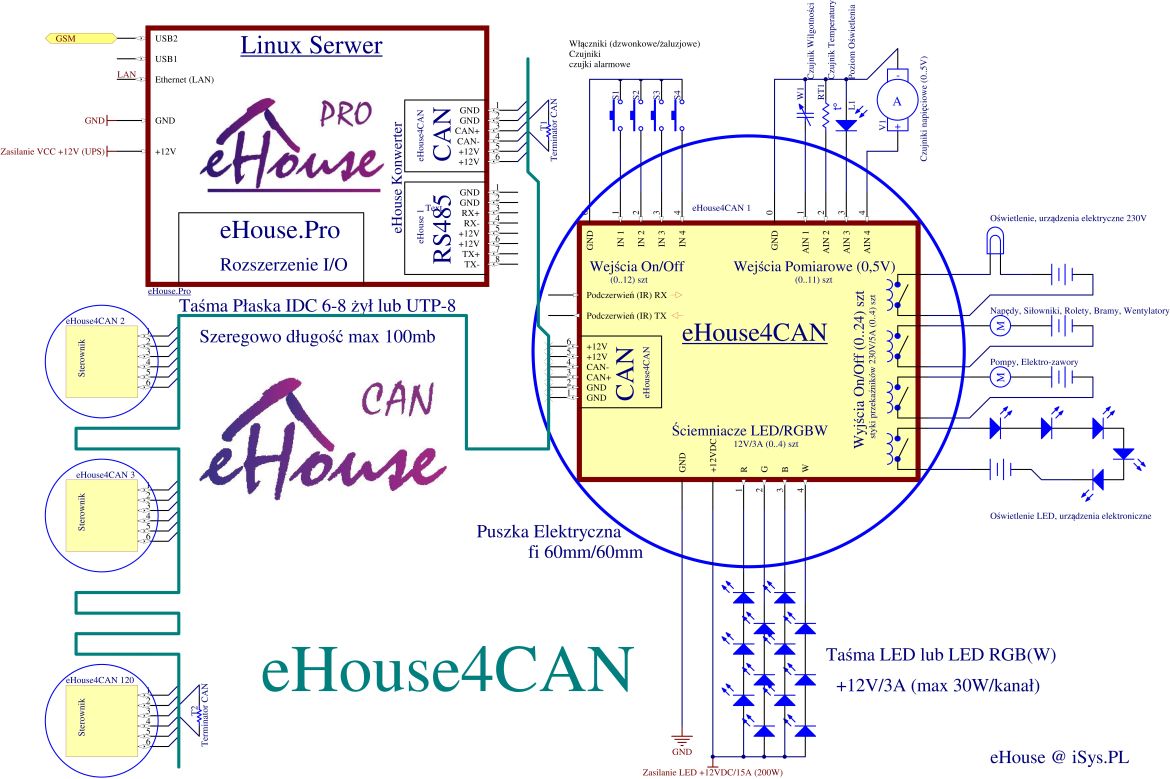
Home automation is the use of connected devices and rules to control systems such as heating, cooling, lighting, blinds, plugs, and appliances. In plain English: the house reacts when it should, instead of expecting the owner to remember everything.
Useful examples include:
- Smart thermostats that adjust temperature around schedules, occupancy, or manual overrides.
- Occupancy sensors that switch lights off when rooms are empty.
- Smart plugs that shut down idle devices and reduce standby waste.
- Energy dashboards that show where electricity is being used, not just where it vanished.
For a broader overview of how these systems fit together, the Energy Efficiency and Sustainability page connects home technology with lower operating cost and less waste.
How automation leads to energy savings
The logic is simple. Manual control depends on memory. Automation depends on rules. Rules are more reliable, and occasionally less emotional.
1. Smart thermostats and climate control
Heating and cooling usually drive the largest share of home energy use. A smart thermostat can reduce waste by learning routines, lowering temperatures when the house is empty, and avoiding unnecessary conditioning of rooms that are not in use.
The U.S. Department of Energy’s guidance on smart thermostats and the related controls page explains why schedule-based setbacks and remote adjustments matter. If you want the deeper version of this topic, see Intelligent Climate Control.
2. Automated lighting systems
Lighting savings are usually smaller than HVAC savings, but they are easier to capture. Motion sensors, daylight sensors, dimming schedules, and app-based controls all reduce the chance that lights stay on for no reason other than human forgetfulness, which is a strong and very expensive tradition.
ENERGY STAR’s smart lighting guidance highlights how connected lighting systems can cut usage while improving convenience. Pairing LED fixtures with automation is usually a straightforward win.
3. Energy monitoring and management tools
Monitoring systems help homeowners see what is actually happening. They can reveal overnight loads, inefficient appliances, and rooms that are being heated or cooled more than necessary. You cannot manage what you cannot see, which is why the dashboard is often more valuable than the gadget itself.
| Automation feature | Typical energy effect | Best use case |
|---|---|---|
| Smart thermostat | Reduces unnecessary heating and cooling | Homes with regular schedules |
| Motion-based lighting | Stops lights running in empty rooms | Hallways, bathrooms, utility spaces |
| Smart plugs | Limits standby or idle power draw | Entertainment centers, office gear |
| Energy dashboard | Identifies waste patterns | Households that want real data |
Case studies of energy-efficient homes
Case studies matter because they show what happens after the marketing gloss is removed.
Case study 1: Smart thermostat rollout in a family home
A household with inconsistent work schedules replaced manual thermostat changes with a smart thermostat and room-based scheduling. The result was not dramatic theater. It was a quieter bill and fewer heating spikes. U.S. DOE materials on thermostat controls support this kind of improvement when schedules and setbacks are used well.
Quantifiable outcome: homeowners commonly report double-digit percentage savings from heating and cooling changes when automation reduces wasted runtime, though the exact result depends on climate, insulation, and habits.
Case study 2: Motion lighting in a renovation
In a renovated home, hallway, pantry, and garage lights were connected to occupancy sensors and LED fixtures. The behavior change was immediate: lights no longer stayed on all evening because someone forgot a switch on the way out. The technical term for that is “small victory”; the utility bill calls it “less waste.”
Quantifiable outcome: converting to LED lighting plus automated controls can cut lighting electricity use substantially compared with legacy incandescent setups, and often by a meaningful margin even against older fluorescent fixtures.
Case study 3: Energy dashboard plus smart plugs
A homeowner used a plug-level monitor to identify constant standby loads from office equipment and media devices. The biggest benefit was not the single device shutdown. It was the habit correction that followed. Once people see the numbers, they stop calling every power draw “minimal.”
Lesson learned: automation works best when it exposes waste, then removes the need to remember the fix every day.
For additional consumer guidance on smart home energy features, the Consumer Reports overview gives a useful reality check on what matters and what does not.
Tips for maximizing energy savings
If you want automation to save money rather than just create notifications, priorities matter.
- Start with the largest loads. Heating, cooling, and lighting usually produce the biggest practical gains.
- Choose devices that work together. Fragmented systems create friction, and friction is where good intentions go to die.
- Use schedules before scenes. Automations tied to daily routines are easier to maintain than clever one-off shortcuts.
- Check for manual override. A system that is impossible to adjust quickly will eventually get disabled.
- Review energy data monthly. A short review often finds drift, misconfigured devices, or a heater running harder than needed.
Device selection checklist
- Choose products with clear energy reporting.
- Prefer devices that support timers, occupancy response, or daylight response.
- Keep the number of apps manageable.
- Use LED lighting where possible.
- Update firmware and replace batteries on schedule.
Before-and-after: what changes in a smarter home
The before picture usually looks like this: lights left on, rooms heated or cooled when empty, and a homeowner who assumes the bill is “just what houses cost.” The after picture is simpler: devices turn themselves down when no one is home, lights respond to movement or daylight, and energy use becomes visible enough to manage.
A practical goal is not perfection. It is reducing avoidable waste without turning the house into a full-time software maintenance project.
Conclusion
Home automation can improve comfort and cut energy waste at the same time, but only when the devices support a clear plan. The best results usually come from a few well-chosen controls: a smart thermostat, efficient lighting, and basic monitoring.
If you are deciding where to begin, prioritize the systems that run most often and waste the most when ignored. That is where the business case lives. The gadgets are optional; the discipline is not.
To continue, review the broader energy efficiency guidance and compare it with your household routines. Then decide what should be automated first.
Key takeaways:
- Home automation saves energy by reducing unnecessary runtime.
- Smart thermostats and automated lighting are usually the first priorities.
- Energy monitoring helps identify waste that habits hide.
- Small, reliable automations usually beat complex systems that nobody wants to maintain.